Google Drive
Seamlessly access and sync chatbot training data stored in Google Drive, enabling easy management and updating of resources.

Direct integrations with your favorite tools
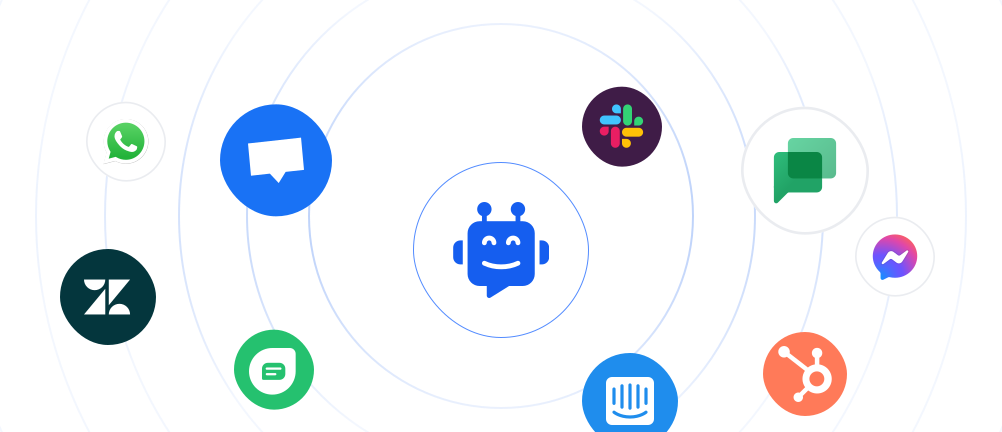
Let SiteGPT answer support questions over your customer' communication channels of choice.
Data Source integrations
Integrate a wide range of data sources to empower SiteGPT with rich, varied, and up-to-date training material, ensuring a well-informed and effective chatbot experience.
Seamlessly access and sync chatbot training data stored in Google Drive, enabling easy management and updating of resources.

Integrate with Dropbox to utilize stored documents and files for chatbot training, ensuring data is readily available and up-to-date.

Leverage OneDrive for cloud-based storage of chatbot training materials, offering easy access and collaboration features.
Incorporate Box for secure cloud storage of training data, ensuring safe and organized access to chatbot resources.
Link with Notion to harness extensive notes and organized data for training, enhancing the chatbot’s knowledge base.
Connect a GitHub repository to train your chatbot on Markdown docs, READMEs, and other files, keeping answers in sync with your codebase.

Train your chatbot using YouTube videos, playlists, and channels to provide comprehensive knowledge from video content.
Looking for another integration?
Submit a request →Chat integrations
Leverage SiteGPT as a standalone support chatbot or as a support agent inside your existing support channels.

Allow your customers to receive instant support directly in their preferred messaging application.

Handle customer queries in real-time, opening up a convenient communication channel for support and ensuring that no question goes unanswered.

Give every visitor an instant answer from your own content, with human takeover the moment an agent replies from the Crisp inbox.
Answer questions from your own content in channels, DMs, and threads. One click install, emoji workflows, and escalation alerts for your team.
Interact with customers, resolve common issues, and ensure a smooth and efficient customer service experience.
Improve ticket response times, enhance customer satisfaction, and allow your human agents to focus on more complex, high-touch issues.
Engage with visitors in real-time, answer queries instantly, and convert leads through live chat.

Give your chatbot an email address. The AI answers customer emails on its own, or drafts replies for your team to approve.

Offer immediate, intelligent responses to customer queries directly in this popular messaging app.
Looking for another integration?
Submit a request →Enter your URL for SiteGPT to scan, or upload files, or drop in raw text content.
Embed a chatbot on as many sites as you want — your marketing site, in-app, help center… wherever.
Use real chat history to improve your chatbot by providing feedback that allows it to improve with every interaction.
Customer testimonials

“We've got the bot dialled in - we're using GPT-4, have an avenue for escalations to Zendesk, and so far I have no complaints.”
Brent Burrows II
Vice President – Retail & Sales at CBS Bahamas
Have a different question and can't find the answer you're looking for? Reach out to our support team by sending us an email and we'll get back to you as soon as we can.
Yes, you're able to enter raw text content as training data.
Yes, please contact us by sending us an email for more information.
Yes, you can go to sitegpt.homes/demo and try out the demo. The demo bot you see on sitegpt.homes/demo is trained on the sitegpt.homes website content itself. So you can ask any questions related to SiteGPT website in that demo bot and it will answer it. You can also choose a paid plan when you are ready to try it on your own data.
You can use any type of content to train the chatbot. The more content you provide, the better the chatbot will be able to answer the questions.
Yes! SiteGPT now supports automatic syncing of your content. Depending on your plan, you can set up automatic syncing on a monthly, weekly, or daily basis to keep your chatbot's knowledge up to date. You can also manually retrain/resync your chatbot anytime from the dashboard.
Yes. You can upload CSV/TXT/PDF/DOCX/PPTX/MD or any other text based files to train the chatbot. Each file is converted to pages based on its content (2,500 cleaned characters = 1 page). The page limits vary based on your plan.
Split each file into parts of up to 25 MB and upload the parts. If a file can't be split, contact us on support@sitegpt.homes .
Each chatbot gets its own unique url, you can embed the chatbot on your own site via the embed code we provide. You can even directly link to the chatbot from your site.
You can train the chatbot by adding a website link , a sitemap link , or YouTube videos/playlists/channels . You can just enter a URL and the chatbot will be trained on all the content present on that URL. You can also upload CSV/TXT/PDF/DOCX/PPTX/MD or any other text based files, or connect sources like Notion, Google Drive, Dropbox, OneDrive, Box, and GitHub.
It depends on the amount of content you are training. But usually, it should be done within a few minutes.
You can reach out to us at support@sitegpt.homes .
Find out if a personalized AI support chatbot is a good fit for you in just a few hours.